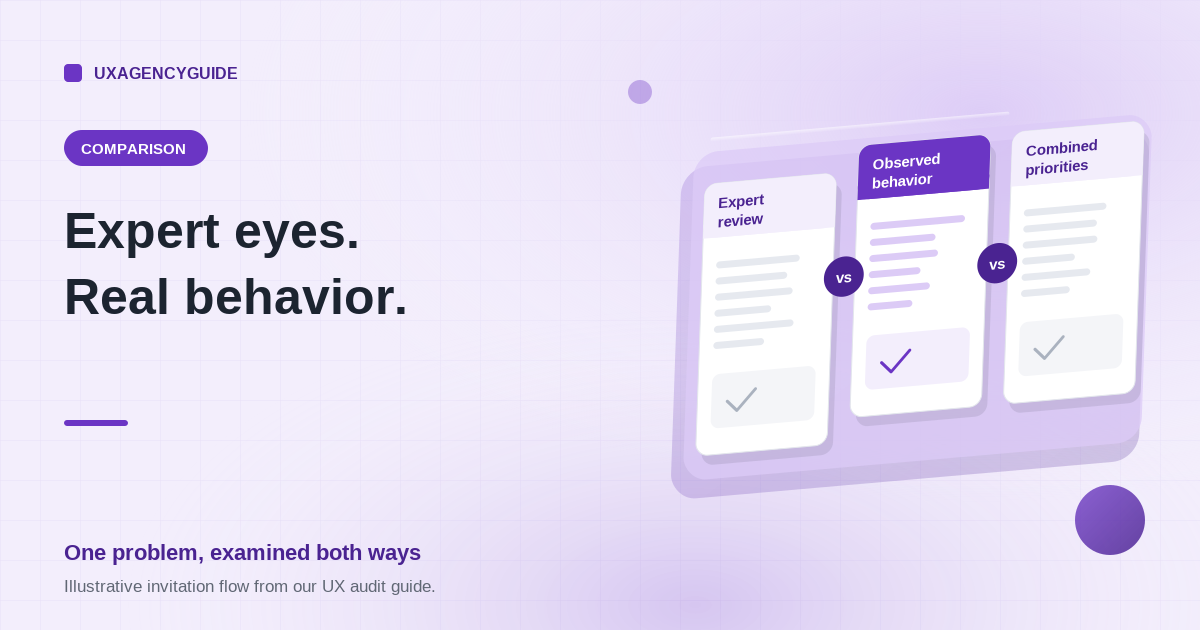
A UX audit and usability testing answer different questions. An audit asks experts “what is likely to go wrong, and why?” Testing asks real users to try, and shows “what actually goes wrong, for whom?” Audit first when you need to find and fix obvious problems quickly, or decide what to test. Test first when you need evidence of real behavior, especially for a new audience or a disputed problem. For most products, the most useful sequence is an audit to clear obvious issues, followed by testing to confirm what matters.
This comparison sets out the evidence each method produces, when to start with each, and works through one illustrative problem both ways. Our UX audit guide explains how to run an audit, and our usability testing methods guide explains how to run tests.
Compare the evidence sources
| UX audit | Usability testing | |
|---|---|---|
| Evidence comes from | Expert judgment, principles, guidelines, analytics, support data | Observing real users attempting tasks |
| Typical people involved | Three to five evaluators | About five participants per user group, plus facilitator |
| Speed | Days | Days to weeks, depending on recruitment |
| Strength | Finds many likely issues quickly, including consistency and accessibility | Shows which issues affect real people and why |
| Weakness | Cannot confirm real behavior or priorities | Covers only the tasks tested; small samples |
| Typical output | Prioritized list of issues with evidence and recommendations | Observed problems, severity, quotes and recordings |
| Best question | What is likely wrong with this product? | Can people do this task, and what gets in the way? |
How an audit works
An audit usually combines expert review with existing data. Nielsen Norman Group’s 10 usability heuristics are the most widely used set of principles; the first is that a design should always keep users informed about what is going on. Its guide to conducting a heuristic evaluation recommends that three to five people evaluate the same interface independently, for about one to two hours each, with a scope defined by task, section, user group or device. It also states plainly that heuristic evaluations cannot replace user research.
Agency audits typically add other evidence. Qubstudio’s audit service names heuristic evaluation and cognitive walkthrough as methods and describes a report with annotated screenshots and a roadmap separating quick wins from structural changes. For ecommerce sites, published research such as the Baymard Institute’s large-scale usability findings can inform expert judgment, within its ecommerce scope.
How testing works
Usability testing puts real people in front of the product with realistic tasks. Nielsen Norman Group’s introduction to usability testing describes a facilitator observing participants and recommends around five participants for a qualitative study of one user group. Testing reveals problems experts miss, because real users bring their own expectations, vocabulary and workarounds, and it shows which predicted problems actually matter.
When to audit first
Start with an audit when:
- The product has many obvious problems. Testing a product full of clear issues wastes participants’ time on problems an expert could have found in an afternoon. Fix the obvious first.
- Budget or time is tight. An audit gives useful direction quickly and cheaply.
- You need to decide what to test. An audit identifies the riskiest areas, so a later test can focus on them.
- You need breadth. An audit can cover a whole product, including consistency, accessibility and content, where a test covers a few tasks.
- You are inheriting a product. A new team or agency often starts with an audit to understand the current state.
When to test first
Start with testing when:
- The audience is new or unfamiliar. Experts may not share the expectations of specialist users, such as clinicians or field technicians.
- The team disagrees about a problem. Watching real users settles debates that expert opinion cannot.
- The main issues are already known. If an audit has been done, testing confirms priorities and checks fixes.
- The product introduces a new interaction. Novel patterns, including AI features, behave in ways principles do not fully predict.
- Stakeholders need convincing. Recordings of real users struggling are more persuasive than an expert’s list.
One problem examined both ways
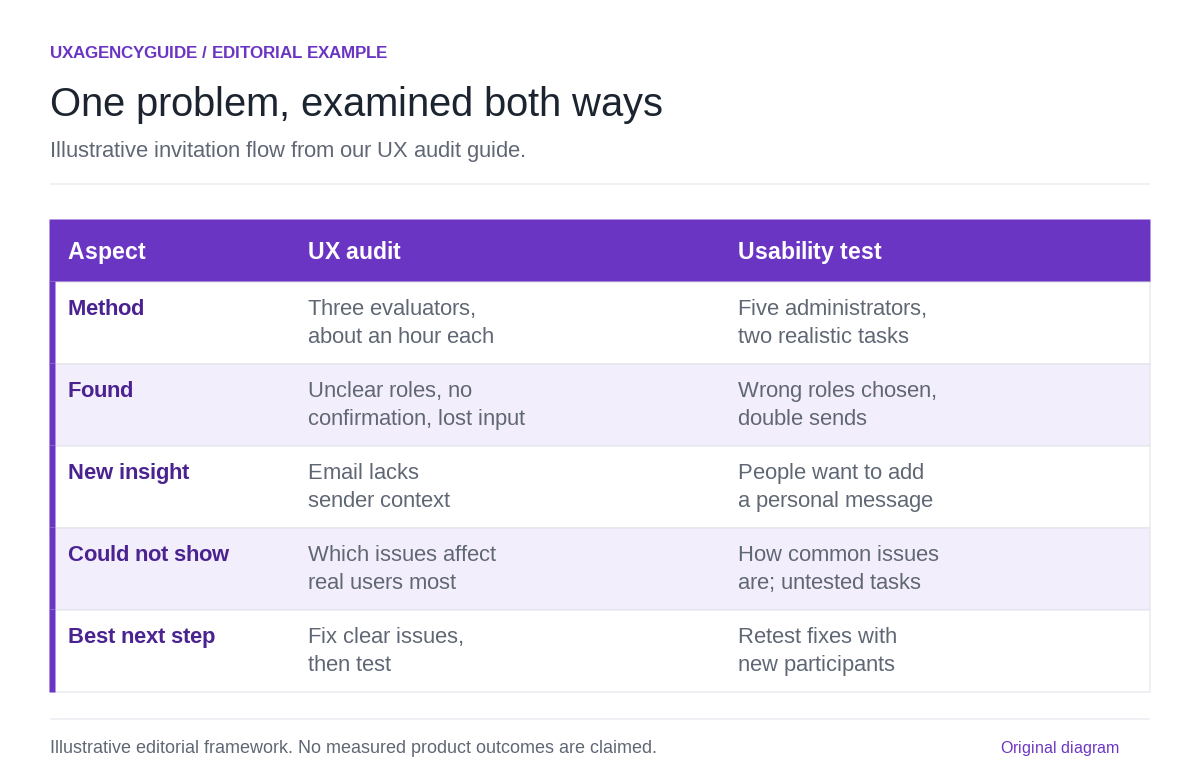
Our UX audit guide uses an illustrative team product in which an administrator invites a colleague. Here is that same problem examined with each method.
The audit
Three evaluators each spend about an hour on the invitation flow, then combine their findings. They identify three issues:
- The role names hide what each role can do. “Member” and “Editor” do not explain permissions. Heuristic: match between the system and the real world.
- Sending an invitation produces no visible result. The form clears with no confirmation. Heuristic: visibility of system status.
- An error discards the entered email address. If the address is invalid, the user must retype it. Heuristic: error prevention and recovery.
The audit also notes that the invitation email does not say who sent it. It rates the missing confirmation as most severe, because administrators may send duplicate invitations or think the system is broken.
What the audit could not show: whether real administrators actually notice these problems, which matters most to them and whether there are problems the evaluators did not predict.
The test
Five administrators of small teams each complete two tasks: invite a colleague who should be able to edit schedules, and invite a colleague who should only view them.
Illustrative findings:
- Four of five hesitated over the role names, and two chose the wrong role for the view-only colleague. The audit predicted this issue; the test shows it is common and causes real errors.
- Three of five clicked “Send” twice because nothing happened. The audit predicted this too.
- Nobody encountered the lost email address, because nobody mistyped. The test did not confirm or rule out this issue.
- Two of five looked for a way to add a message to the invitation, which the audit did not anticipate. One said their colleague would ignore an unexplained email.
What the test could not show: how common these problems are across all administrators, or issues outside the two tasks tested.
What the comparison reveals
The audit found three issues quickly, two of which the test confirmed as serious. The test found one new need the audit missed, and could not confirm one issue the audit raised. The role-name problem, which the audit rated as moderate, turned out in testing to cause the most real errors. Neither method alone gave the full picture.
Combine findings and prioritize
When you have both audit and test findings, combine them into one list.
- List every issue with its source: audit, test or both.
- Rate severity by the consequence for the user and the business, not only by frequency.
- Give extra weight to confirmed issues. Issues found by both methods are the most reliable.
- Keep unconfirmed audit issues if they are low-cost to fix or high-risk if real, such as accessibility problems.
- Separate quick wins from structural changes, as Qubstudio’s audit description suggests, so the team can act immediately on some issues while planning others.
- Plan the next round. Retest the fixes and test areas the first round did not cover.
For the invitation example, the combined priority list might be: rewrite role names with task-based descriptions (confirmed, frequent, causes errors); add a clear confirmation after sending (confirmed); add an optional message to invitations (new, from testing); keep the entered email after an error (audit, low cost to fix).
Common mistakes
Treating an audit report as proof. An audit lists likely problems. Presenting every item as a confirmed user issue overstates the evidence and can send a team after problems that rarely affect anyone. Label audit findings as expert judgments until they are confirmed.
Testing before fixing the obvious. Running a usability study on a product with clear, well-understood problems spends participants’ time confirming what an expert could have told you. Fix the obvious issues first, then test what remains uncertain.
Using one evaluator. A single expert misses many issues. Nielsen Norman Group recommends three to five independent evaluators, because different people notice different problems.
Testing only the happy path. Tasks that avoid errors, permissions and edge cases will not reveal the problems an audit often flags. Include at least one task that exercises a likely failure.
Ignoring accessibility in both. Audits should include accessibility checks, and tests should include participants who use assistive technology where possible. Leaving accessibility to a separate, later review means fixing problems after the design is settled.
Not repeating either. Products change. An audit or test from two years ago describes a different product. Plan regular, small reviews rather than occasional large ones.
Scope and commissioning checklist
Whether you run these in-house or hire an agency, define the scope clearly.
For an audit
- Which parts of the product, which user groups and which devices are in scope?
- How many evaluators will review it, and do they include accessibility expertise?
- What existing data, such as analytics and support tickets, will they use?
- What will the report contain, and will it separate quick wins from structural issues?
- Will any findings be validated with users?
Published agency offers show the range. Cieden’s audit service describes five steps including tests with real users, with published tiers starting at $2,000 for simple consumer products and rising for complex B2B work and accessibility review (checked November 2026). Qubstudio describes a health check of up to two weeks and a deeper strategic audit of up to four weeks. Fuzzy Math’s research services list UX review and usability analytics alongside moderated and unmoderated testing. When an agency audit includes user testing, as Cieden’s does, check how many participants and which tasks are included.
For usability testing
- What research question and decision will the study inform?
- Which tasks, with which participants, and how will they be recruited?
- Moderated or unmoderated? Our moderated vs. unmoderated comparison explains the choice.
- What evidence will be delivered: recordings, observations, severity ratings?
- How will findings be combined with any audit results?
A sensible default
If you are unsure, start with a short, focused audit of your most important task, fix the clear issues, then run a small usability test of the same task with five representative users. That sequence uses each method for what it does best, and gives you both expert insight and evidence of real behavior before you invest in larger changes.
Frequently asked questions
What is the difference between a UX audit and usability testing?
A UX audit is an expert review: experienced evaluators examine a product against established principles, guidelines and data to identify likely problems. Usability testing observes real users trying to complete tasks. An audit predicts problems quickly and cheaply; testing shows which problems actually affect people and how.
Should I do a UX audit or usability testing first?
Audit first when the product has many obvious issues, little budget or time, or when you need to decide what to test. Test first when you already know the main issues, when the product is new to its audience or when stakeholders disagree about whether a problem is real. Many teams audit, fix the clear issues, then test.
Can a UX audit replace user testing?
No. Expert review is useful for finding likely problems, but it cannot show how real users behave, what they expect or which problems matter most to them. Nielsen Norman Group states that heuristic evaluations cannot replace user research.
How long do they take?
A focused audit can take days, and some agencies publish audit tiers delivered in about a week. A small usability study can be planned, run and analyzed in a few days to a few weeks, depending on recruitment. Larger or specialist studies take longer.
Sources & evidence
- 10 usability heuristics for user interface designChecked 2026-11-20
- How to conduct a heuristic evaluationChecked 2026-11-20
- Usability (user) testing 101Checked 2026-11-20
- Baymard Institute researchChecked 2026-11-20
- UX audit servicesChecked 2026-11-20
- UX audit servicesChecked 2026-11-20
- UX research servicesChecked 2026-11-20
Specific sources, useful examples and clear limitations make advice easier to assess.
Read the editorial policy