The best usability-testing tool fits the study you need to run, the people you need to recruit and the evidence you need to retain. Choose the research method first. Then compare platform access, participant sourcing, recording, analysis and total cost. Buying a testing tool does not automatically produce a valid study.
This 2027 planning comparison uses official product documentation checked in November 2026. It includes an original study checklist and cost worksheet. It is not a report of paid-plan trials, recruited participant sessions or measured differences in tool performance. Product features and contract entitlements should be confirmed for the actual account before purchase.
Choose by study type
Start with the research question. If you need to observe a professional explaining a complex decision, a moderated session may be useful. If you have a well-defined task and need people to attempt it without a live facilitator, an unmoderated approach may fit. If the central problem is recruiting a specialized role, panel suitability may dominate the platform choice.
Distinguish prototype testing from live-product testing. A prototype can represent the interaction while simulating data and system behavior. A live-product study can expose real permissions, timing and integration constraints, but may require more careful access and data handling.
| Platform | Documented workflow to investigate | Important selection boundary |
|---|---|---|
| Maze | Prototype and website study workflows | Instrumentation and plan conditions affect the available detail |
| Lyssna | Prototype tasks and participant sourcing | Recruitment charges and platform response allowances are separate |
| Lookback | Moderated and unmoderated qualitative research | Check session, recording and method entitlements |
| UserTesting | Research across concepts and live experiences | Confirm contract access, recruitment fit and the relevant experience |
These are routes to investigate, not a universal ranking. A platform with a large feature range may still be unnecessary for a small study. A low-cost plan may be unsuitable if it cannot reach the intended audience or preserve the evidence the team needs.
Use the UX research methods guide if the method is not yet clear. Selecting a vendor before defining the study can quietly turn the tool’s available features into the research plan.
What we checked
We checked official descriptions of relevant methods, access boundaries and recruitment or pricing distinctions. Our original contribution is the decision framework below, including the separation of platform, recruitment and researcher effort.
A common study brief
The illustrative task uses Shiftboard, a fictional maintenance product. A coordinator must invite a technician with access to assigned work, correct an address and understand the resulting invitation status. A prototype for this study needs role descriptions, validation, pending status and recovery, not only a successful first screen.
The study question is whether intended coordinators can understand and complete the represented permission task. It is not whether the prototype can deliver email or securely enforce access. Those operational questions need implementation evidence outside the prototype.
Evaluation criteria
Assess how the platform presents the task, supports the target device and preserves the relevant observations. Check whether the researcher can distinguish a participant difficulty from a broken prototype link or a recording problem. Inspect exports and sharing permissions before collecting confidential material.
For recruitment, assess the ability to reach people with the relevant responsibilities. A generic participant who can click through the screens may not understand the operational consequences of the role choice. Match the sample to the decision rather than choosing only the quickest available audience.
Keep observed results separate
If your team runs a trial, record the plan, date, task setup, participant source and actual results. Mark unsupported or untested conditions as unknown. Do not fill a comparison table with favorable scores simply because the documentation lists a feature.
This distinction also applies to automated analysis. A generated summary can help organize material, but the researcher remains responsible for checking it against recordings and notes. The presence of an AI feature is not evidence that the interpretation is accurate.
Tool comparison table
| Tool | Study types | Prototype sources | What is recorded | Participants | Analysis | Starting price | Security |
|---|---|---|---|---|---|---|---|
| Maze | Prototype and live website tests, surveys, first-click tasks; card sorting, tree testing and interviews on Enterprise | Figma, Axure, and prototypes built with Figma Make, Lovable, Bolt and Replit | Audio, video and screen (Clips) | Your own users free; pay-per-use panel credits; 20M+ panel on Enterprise | Shareable reports, themes, highlight reels | Free: 1 study a month, 5 seats; Enterprise by quote | SOC 2 Type II |
| Lyssna | Prototype, first-click, five-second, card sorting, tree testing, preference, live website, surveys and interviews | Figma prototype links | Audio, screen and webcam for think-aloud (paid plans) | Your own users free; 690,000+ panel at US$1.00 per credit | AI summaries, tags, CSV export | Free: 3 seats, 15 self-recruited responses; Growth $166 per month | GDPR, SOC 2 |
| Lookback | Moderated and unmoderated sessions, interviews, prototype, website and native app tests | Prototypes, websites and native apps | Screen, camera and voice, with live streaming and transcripts | Your own users free; 6M+ panel at $49 per participant pay as you go | AI-assisted analysis, tagged findings, reels | 5 free sessions for 60 days; Freelance $299 a year | GDPR, SOC 2 |
| UserTesting | Live conversations, surveys, think-out-loud video, interaction and information architecture tests | Figma plugin, included or as an add-on by plan | Screen, face, audio and clickstream | Panel across 60+ countries | AI insight summaries, smart tags, highlight reels, path flows | A free test to try; plans by request | SOC 2, ISO 27001, GDPR, HIPAA |
Prices are in US dollars as shown on each vendor’s own pricing page on 23 November 2026. Billing periods and plan names change often, so check the current page before buying.
Two differences decide most choices. Lyssna and Maze let small teams start free with their own participants, while UserTesting is priced for organizations that want a managed panel. Lookback is the most focused on watching sessions live and talking to participants, so it suits qualitative studies more than large unmoderated surveys.
Maze: prototype and website workflows
Maze’s website-testing guide describes website testing with and without a snippet, while noting that some visual analysis features require instrumentation. That distinction matters when you cannot modify the site or when engineering support is limited.
Check the actual capture and analysis available under your setup. A study running without a snippet should not be assumed to produce every instrumented view. The current packages also need checking against the required method, seats and volume.
For the illustrative invitation study, confirm the prototype integration, reset behavior and task recording you need. If the study moves to a live system, reassess permissions and instrumentation rather than assuming the prototype setup transfers unchanged.
Lyssna: tasks and separately priced recruitment
Lyssna’s prototype-test documentation describes task-led and exploratory options for Figma prototypes. Its pricing page separates panel recruitment from platform plans. At the check date, the free offer listed a limited allowance of self-recruited responses, not unlimited panel research.
The buying implication is to calculate study cost using the actual recruitment route. Bringing your own participants and purchasing panel responses can produce different totals. Confirm device, task and plan requirements before treating a free account as sufficient for a production research program.
Lookback: qualitative sessions and observation
Lookback’s feature overview describes qualitative research capabilities including moderated sessions and observation. Its unmoderated research guidance makes clear that the product should not be reduced to a moderated-only category.
Investigate it when the session record, researcher presence and observer workflow are important. Confirm the supported method, device requirements and account entitlements. A documented feature does not establish that every participant’s environment will work without preparation.
UserTesting: broader research access
UserTesting’s platform description covers research across ideas and experiences. Its Live Conversation guidance describes moderated real-time research, with experience and access details to confirm for the contract.
For procurement, ask which research methods, audiences and collaboration features are included. A broad platform description should not be treated as a promise that a particular subscription includes every capability. Match the proposal to the study rather than inferring the contract from the product category.
Recruitment and participant fit
Recruitment is a research design decision and a cost center. Define the experience that makes someone relevant to the task. For Shiftboard, that may be responsibility for allocating maintenance work or managing team access. A job title alone may not establish that experience.
Write screening questions that distinguish relevant practice without revealing the desired answer. Ask about recent responsibilities and tools where appropriate. Avoid collecting unnecessary sensitive information merely to make the screener look thorough.
Panel versus self-recruited participants
A panel can provide access and logistical support, but its suitability depends on the audience and screening. Self-recruitment can reach known customers or specialized roles, but it creates scheduling, communication and incentive responsibilities. Neither route guarantees a representative sample.
Record the recruitment source in the study report. Existing customers may know the product’s language. New participants may lack context that real users ordinarily receive. Both groups can be useful if the question and interpretation account for those conditions.
Participant logistics affect findings
Device setup, browser permissions and network quality can influence the session. A participant blocked by a recording requirement has not necessarily encountered a product usability issue. Record the interruption and decide whether the task can still support the intended conclusion.
For professional users, scheduling and confidentiality may be more demanding than for a general consumer task. The platform’s panel volume does not automatically solve access to a rare role. Confirm feasibility before promising a fixed research calendar to stakeholders.
Analysis and governance
Decide what evidence must remain available after the study. A highlight clip can support a discussion, but the full context may be needed to evaluate the interpretation. Check how recordings, notes, transcripts and task data can be exported and who can access them.
Consent and data handling
Tell participants what will be recorded and how the material will be used. Use synthetic records in prototypes where possible. For a live product, define which account and data can be used and how accidental exposure will be handled. These responsibilities remain important even when the platform simplifies session delivery.
Ask the vendor or your organization’s responsible team about retention, deletion, sharing and any relevant processing arrangements. Do not assume that a general product claim resolves every obligation for your domain or participant population.
Trace conclusions to observations
Keep observations separate from interpretation. “The participant selected Admin” is a different statement from “the participant understood the permission model.” The latter needs supporting evidence. A clear research record preserves that distinction so product decisions do not rest on an attractive but unsupported summary.
Use AI-assisted analysis as something to review. Check quotations, speaker identity and omitted qualifiers against the source. If a summary groups contradictory observations into one theme, retain the disagreement rather than presenting a falsely consistent account.
Practitioner context
Fuzzy Math’s pharmaceutical analysis case illustrates why research context can involve specialized workflows and users. It is not evidence that the agency endorses any platform in this list. Likewise, a studio’s research service does not establish that it uses every tool discussed by a publication.
UX Studio’s research service describes partnering with third-party panels for recruitment and lists methods such as five-second tests, first-click tests, navigation testing, card sorting and tree testing alongside moderated user tests. It also describes collecting insights in a shareable, searchable research system. That combination maps to two separate purchasing decisions in this guide: a platform that runs particular study types, and a repository that keeps findings usable after the study ends.
Total cost and selection
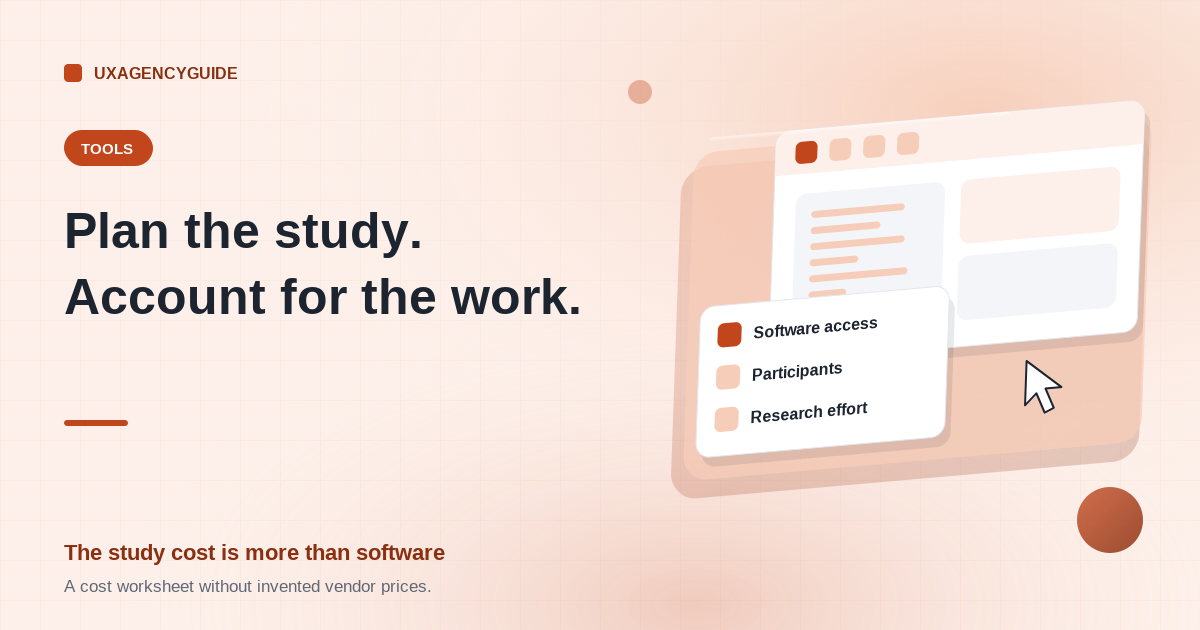
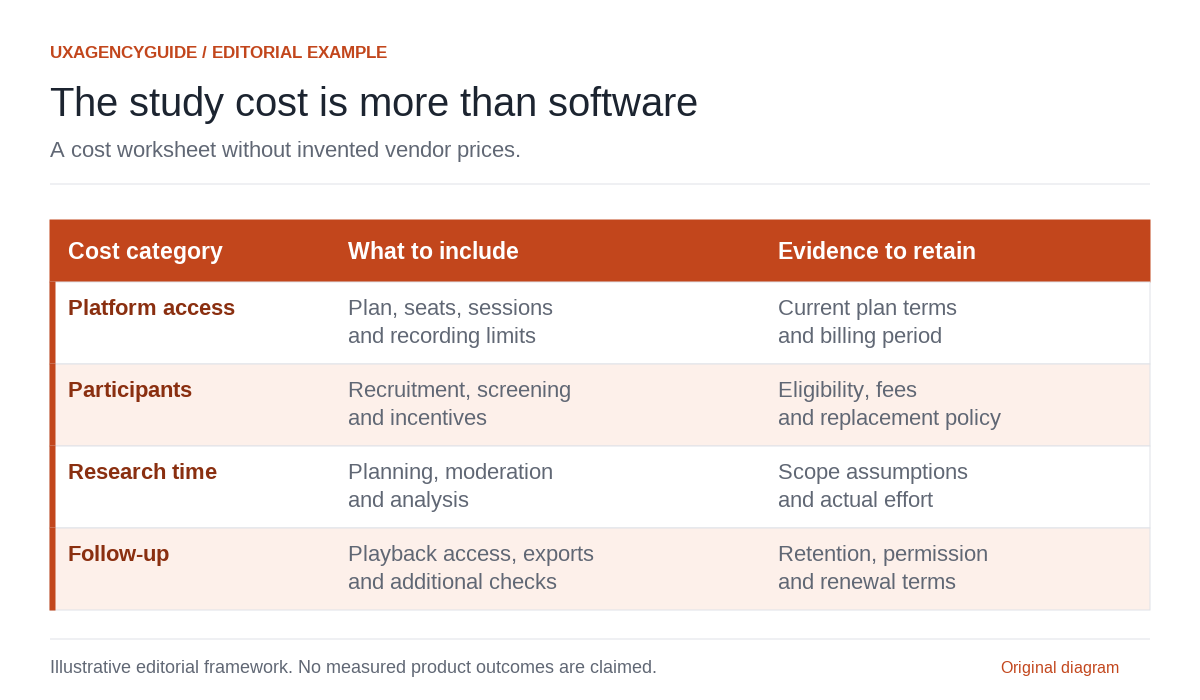
Calculate a study total from distinct inputs: platform access, recruitment or screening, incentives, researcher preparation, facilitation, analysis and any storage or export charges. Confirm which costs the vendor includes and which remain with your team.
An original cost worksheet
| Cost line | What to record | Common omission |
|---|---|---|
| Platform | Actual plan, billing period and required access | Paying for the wrong seat or method |
| Recruitment | Source, screeners and vendor charges | Assuming panel responses are included |
| Incentives | Agreed participant compensation | Confusing the incentive with the platform fee |
| Research effort | Preparation, sessions, analysis and reporting | Counting session time only |
| Administration | Scheduling, consent and technical checks | Assuming automation removes responsibility |
| Data handling | Retention, export and storage requirements | Discovering a limit after collecting material |
The worksheet deliberately avoids invented market averages. Enter a current quotation or your own explicit planning assumption in each line. If a value is unknown, keep it unknown until confirmed rather than presenting a precise-looking total.
Select with a bounded pilot
Run a small technical pilot before inviting the full sample. Check task instructions, links, recording behavior, device requirements and export. The pilot can reveal setup problems; it is not automatically evidence about the product’s usability.
Have another team member review a session record and locate the evidence behind a finding. This checks whether the analysis handoff works, not only whether the researcher can operate the platform. A tool that captures material but makes it difficult to inspect may add effort later.
Make the final decision explicit
Record the selected method, audience, essential platform requirements and accepted limitations. Explain which capabilities were documented and which were actually tried. Include the current quote or plan reference and the conditions that would require another review.
Use the UX audit guide to inspect obvious flow problems before sessions, and the artifact guide to choose what the study must represent. Those steps can make the research more focused without implying that an expert inspection replaces observation of intended users. If you are deciding whether a study needs a facilitator, see our moderated vs. unmoderated comparison.
The strongest testing setup is the one that produces inspectable evidence for a defined decision. Platform features support that work. Recruitment, study design and interpretation remain responsibilities that the product team must own.
Plan for incomplete sessions
Some sessions will not produce usable evidence for every task. A participant may have the wrong experience, a prototype may fail to reset or a recording permission may interrupt the flow. Decide how those cases will be documented and whether replacement recruitment is needed. Avoid silently removing inconvenient sessions and presenting the remaining material as if the original plan ran unchanged.
Budget researcher time for reviewing session quality. An automated completion marker may show that a person reached the final screen without explaining whether they understood the task. Inspect enough of the record to support the conclusion you intend to make. The appropriate amount depends on the study, not a universal shortcut.
Match observer access to the research purpose
Stakeholders may benefit from observing sessions, but they should understand their role. A live observer should not coach the participant through a separate channel or turn the session into a product demonstration. Establish how questions will reach the facilitator and how sensitive material will be handled.
Afterward, ask observers to separate what they saw from their preferred explanation. Two people can watch the same hesitation and infer different causes. The research record should preserve the action and context so the team can assess those interpretations rather than resolve the disagreement through seniority.
Keep the buying decision current
Before renewal, review the actual study volume, participant sources and export needs. A plan that suited an initial prototype test may no longer fit a specialized longitudinal program. Conversely, a team may be paying for capabilities it does not use. The right comparison remains the work being done and the evidence required, with current terms checked against that need.
Keep a short list of unanswered procurement questions. It may include whether a specialized audience is available, whether recordings can be retained for the needed period or whether an observer needs a paid seat. Resolve essential unknowns before committing the study schedule. This turns the comparison into an operational plan rather than a collection of vendor descriptions and helps the team avoid promises it cannot yet support.
Frequently asked questions
Are participant recruitment costs included in every plan?
No. Platform access, recruitment and incentives can be separate. Check the actual offer and recruitment route rather than assuming a subscription covers the whole study.
Should every usability study be moderated?
No. Choose the level of facilitator involvement based on the question, task complexity and audience. Both moderated and unmoderated methods need appropriate preparation and interpretation.
How were these platforms compared?
We compared Maze, Lyssna, Lookback and UserTesting using their official pricing, feature and help pages, checked on 23 November 2026, on study types, recording, recruitment, analysis, price and security. The study brief and cost worksheet help you plan a pilot on the platform you choose.
Sources & evidence
- Run usability tests on your live websitesChecked 2026-11-19
- Pricing and packagesChecked 2026-11-19
- Prototype test sectionsChecked 2026-11-19
- Plans and pricingChecked 2026-11-19
- All Lookback featuresChecked 2026-11-19
- Unmoderated and AI-Moderated Research in LookbackChecked 2026-11-19
- Human Insight PlatformChecked 2026-11-19
- Live Conversation: New experienceChecked 2026-11-19
- Fuzzy Math’s pharmaceutical analysis caseChecked 2026-11-19
- UX research services for B2B SaaS teamsChecked 2026-11-20
- Maze prototype testingChecked 2026-11-23
- Maze ClipsChecked 2026-11-23
- Lyssna research panelChecked 2026-11-23
- Lyssna recordingsChecked 2026-11-23
- Lookback pricingChecked 2026-11-23
- UserTesting plansChecked 2026-11-23
- UserTesting feedback engineChecked 2026-11-23
Specific sources, useful examples and clear limitations make advice easier to assess.
Read the editorial policy