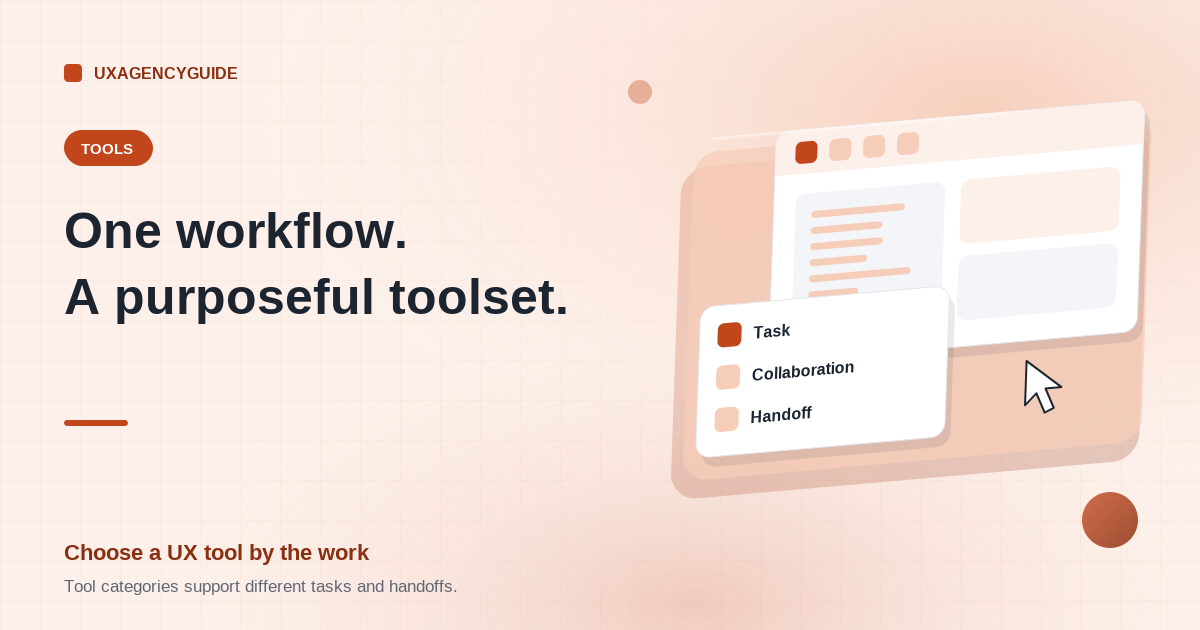
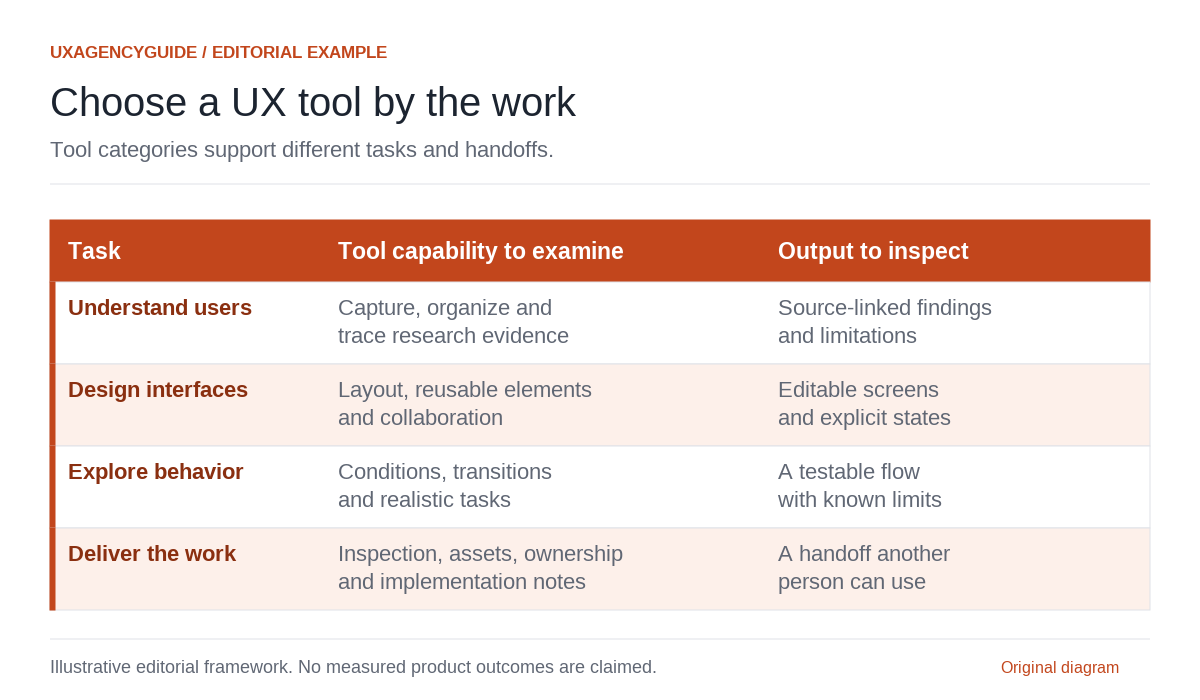
The best UX design tools are the ones that support the task your team needs to complete: understanding a problem, organizing evidence, defining an interface, evaluating behavior or handing work to implementation. Start with that job, then compare collaboration, portability, access and operating cost. A longer feature list is not automatically a better fit.
This 2027 planning edition is based on official product documentation checked in November 2026. Our original contribution is the task-to-tool framework and acceptance checklist. This is a documentation-led comparison, not a claim that every paid plan, migration or participant session was tested. Features and commercial terms should be confirmed for the actual account before purchase.
Choose a tool by task
A UX workflow usually involves several kinds of evidence and artifacts. A research repository helps organize material. A design editor helps create and maintain interface decisions. A prototype represents behavior. A testing platform helps deliver a study. None automatically replaces the product question, recruitment judgment or implementation responsibility.
The first useful purchase question is “what is currently preventing the team from completing its work?” The answer might be a missing collaboration capability, difficult handoff or an inability to represent a conditional state. It might also be a process problem that changing software will not solve.
| Task | Tools or categories to investigate | Main selection question |
|---|---|---|
| Organize research material | Dovetail or an appropriate repository | Can the team trace interpretations back to evidence? |
| Discuss early structure | Balsamiq or a suitable wireframing editor | Can people work through hierarchy without unnecessary production detail? |
| Maintain interface design | Figma, Penpot, Sketch | Can the right people edit, review and inspect the work? |
| Represent complex interaction | Axure or another suitable prototyping approach | Can the required rules and states be represented? |
| Run remote studies | Maze, Lyssna, Lookback, UserTesting | Does the method and recruitment model fit the study? |
| Publish a marketing website | Framer or another website platform | Does hosting, content editing and ownership fit the delivery plan? |
These categories overlap, but the overlap should be inspected rather than assumed. A website builder can be useful for a marketing launch while being a poor substitute for an application design editor. A clickable mockup can support discussion without providing the study administration or recruitment of a research platform.
Evaluation and test method
We reviewed official documentation for supported workflows and important boundaries. Recommendations describe task fit based on documented capabilities, and the worksheet below helps you confirm them on your own plan.
Use a common evaluation task
Our suggested acceptance task is an invitation flow for a fictional maintenance product. It includes an email field, a role choice, a permission explanation, validation, pending status and a failed-send recovery. It also needs reusable input and button elements and a handoff explaining the relevant rules.
This task helps a team compare what a tool can represent and how easily others can continue the work. It is a proposed evaluation protocol, not a table of fabricated product scores. Record actual observations during your own trial and preserve any assistance, account restrictions or unsupported states.
Record the operating conditions
Note the plan, seat type, platform, sharing permissions and date. A capability available to an organization administrator may not be available to an external developer. A browser viewer may not have the same editing powers as a native application user. These differences can change the practical fit even when the marketing page sounds suitable.
Separate a documented feature from a verified outcome. A tool can support comments without ensuring that the team responds to them. It can generate code snippets without delivering a complete application. The evaluation should examine the workflow rather than treating feature availability as proof of success.
Research and synthesis tools
Dovetail: organizing research material
Dovetail’s AI Projects description presents tools for processing and synthesizing research material. That makes it relevant when the team needs to organize evidence and inspect source content alongside interpretation. It does not remove the need to define the research question or recruit appropriate participants.
Evaluate how notes, recordings, transcripts and themes remain connected. Ask whether collaborators can inspect the underlying passage and understand its context. A summary without traceability can turn a qualified observation into an overly broad claim.
For AI-assisted output, review wording against the original material. Incorrect speaker attribution or omitted context can change the interpretation. The useful acceptance question is whether the team can verify the synthesis, not whether a summary appears quickly.
Study platforms: method before software
Maze, Lyssna, Lookback and UserTesting support different combinations of prototype, website, moderated and unmoderated workflows. Choose the research method before comparing packages. A remote study tool cannot determine whether the task is realistic or whether the recruited audience matches the product.
The usability-testing tools guide examines those options and separates platform access from recruitment and incentives. Keep consent, data handling and export needs in the selection brief. A low initial plan price can be misleading if the study requires additional participant or storage costs.
Design and prototyping tools
Figma: shared interface design and handoff
Figma’s prototype documentation describes interactive flows built from design frames. Its Dev Mode guidance covers inspection and handoff-related capabilities, with plan and seat conditions that need checking.
Consider it when the team needs a shared interface-design workflow. During evaluation, inspect component reuse, state coverage and the access granted to the actual reviewers and developers. Do not assume that every advanced capability or seat is free because a basic prototype can be created.
Penpot: open-source design and code-facing inspection
Penpot’s feature documentation describes SVG-based design, layout systems and prototyping. Its developer tools expose properties, assets and code-facing information. Those characteristics make it worth investigating when open formats and collaboration with implementation are important.
Self-hosting is an operating choice, not simply a price label. The self-host documentation distinguishes the software offer from the knowledge and infrastructure needed to run it. Include maintenance, updates and backup responsibility when comparing it with a managed service.
Sketch: a Mac-centered editing workflow
Sketch’s product documentation distinguishes its Mac design application from browser viewing, comments and inspection. Its handoff guidance describes browser access for developers. This can suit a Mac-based design team with broader review access needs.
Confirm who must edit and who only needs to review. Browser access should not be presented as identical to a cross-platform editor. Device requirements and current workspace permissions belong in the trial checklist, especially when external collaborators use different operating systems.
Axure: conditional interaction
Axure’s conditional-logic documentation describes interactions based on conditions and state. That is relevant when a prototype must represent branching, form behavior or rules that exceed a simple linked-screen path.
The benefit depends on the question. Detailed logic can be valuable for an operational task, but unnecessary for a discussion about page hierarchy. A prototype rule also remains a simulation; it does not establish secure backend enforcement or production readiness.
Balsamiq: early structure and simple linked flows
Balsamiq’s introduction centers on wireframing. Its linking guidance describes connecting boards for a simple prototype. Consider that approach when the immediate task is clarifying structure and sequence.
Do not judge an early wireframing tool by whether it looks like a production interface editor. Equally, do not assume that simple linking provides every conditional state needed for a complex study. Match the represented behavior to the evaluation question.
Framer: website publishing
Framer’s CMS offering is relevant to content-driven website delivery. Its official export explanation says that exporting a website as HTML for self-hosting is not offered. That is a meaningful ownership boundary for some teams.
Investigate it for the actual publishing task, including who will maintain content and where the site will run. Do not treat a hosted website workflow as a universal replacement for an application design editor. The Figma alternatives comparison develops that distinction further.
Handoff and collaboration
Handoff is the transfer of decisions, not only measurements. A developer may need to know what happens when an invitation is already pending, whether a role can change and how a failed operation is represented. The editor should support access to those decisions in a form the implementation team can use.
Test the actual collaborator roles
Invite a reviewer and a developer using the permissions expected in the real project. Confirm what each can view, comment on, inspect and export. A trial performed only by an administrator can conceal the restriction that later blocks the team.
Review version behavior. Can someone identify the current design, understand what changed and locate the decision behind a revision? Comments scattered across old files can produce an apparently collaborative process with no reliable implementation reference.
Preserve reusable decisions
For the illustrative invitation task, create a reusable button and input. Change a shared property and inspect whether the intended instances update. Then document where a deliberate exception is allowed. This reveals how the team will maintain consistency rather than merely reproduce a screenshot once.
Also test export in context. A usable SVG asset is different from a maintainable component with variants and constraints. Generated markup is different from a complete accessible application. Decide which output the receiving team needs before declaring the handoff successful.
What agency workflows reveal
Agency process pages suggest that tool choice is often set by the client team rather than the supplier. UX Studio’s homepage describes designers joining the client’s Slack, Linear and Figma, with first designs arriving within the first sprint. Cieden’s Tandom case describes moving from low-fidelity to high-fidelity screens and a clickable prototype with weekly feedback loops, while designing within the client’s existing shadcn/ui component library.
In both accounts, the design tool sits inside an existing engineering workflow. That is a practical test for any tool in this guide: does it work with the components, tickets and review habits your developers already use? These are agency descriptions of their own process, not product endorsements.
Costs, limits and selection
Price and seats at a glance
Seat costs often matter more than the headline price, because many people only need to view, comment or inspect. The table shows what each design tool charges and who can join for free.
| Tool | Free option | Entry paid price | Who can join for free |
|---|---|---|---|
| Figma | Starter plan | Professional Full seat $16 per month; Dev seat $12; Collab seat $3 | Viewers who view, comment, inspect or export |
| Penpot | Professional plan, fully featured | Unlimited $7 per editor per month, capped at $175 | Unlimited viewers on all plans |
| Sketch | 30-day trial | Standard $12 per editor per month, billed yearly; Mac-only licence $120 per seat, one-time | Unlimited viewers and developers using handoff |
| Axure | Axure Cloud free plan for sharing | RP Pro $29 per user per month | Unlimited viewers on Axure Cloud |
| Balsamiq | 14-day trial | Starter $16 per editor per month, billed annually | Reviewers who view and comment |
| Framer | Free plan with up to three editors | Basic site $10 per month; extra editors $20 each | Viewers |
Prices are in US dollars as shown on each vendor’s own pricing page on 23 November 2026. Billing periods and plan names change often, so check the current page before buying.
Calculate the cost for the whole collaboration, not only the lead designer’s subscription. Include editor seats, reviewer or developer access where charged, study recruitment, storage, export and administration. Confirm billing cadence and account requirements on the current vendor page before purchasing.
Migration deserves its own allowance. Fonts, components, layout rules, comments and prototype interactions may not move intact between products. A successful screenshot export does not establish that the project remains editable. Run a representative migration before committing a live design system.
A small-team selection worksheet
Write the primary task, required roles, important states and acceptable operating model. Mark requirements as essential, useful or optional. Then assess a small shortlist using the same task and record actual results. Keep unknown values visible rather than awarding a tool a favorable score by assumption.
For a team designing its first application flow, the essential needs might be editable screens, basic component reuse, review access and a clear handoff. Advanced animation may be optional. For a researcher studying complex rules, conditional behavior may be essential while high visual polish is secondary.
The smallest workable toolset is often easier to maintain than a stack assembled from category winners. Before adding another product, identify the responsibility it will own and the handoff it creates. A second repository or editor can add coordination work even when its individual features are useful.
Keep a tool decision reversible
Document ownership of files and accounts, export requirements and the conditions that would trigger a review. A team may outgrow its first choice or change its delivery model. A modest exit plan makes that change easier without pretending every format is fully interchangeable.
Review the selection after a real cycle of work. Did collaborators gain the access they needed? Could engineering understand the represented states? Were source materials traceable? Those observations provide better evidence for renewal than the original feature checklist alone.
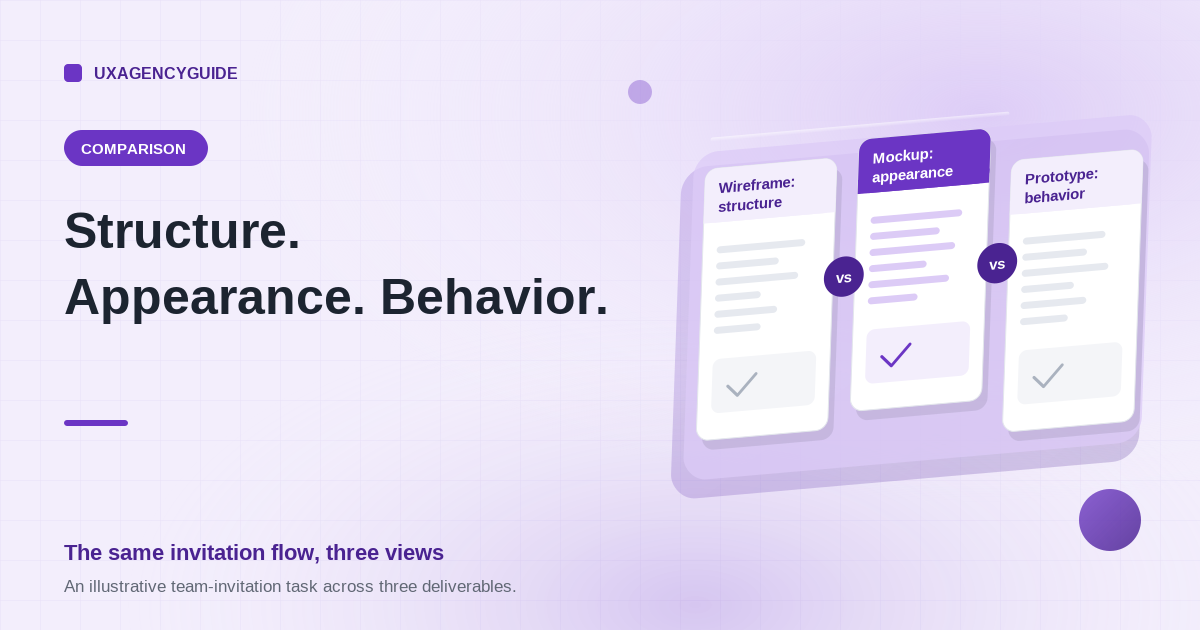
The wireframe, mockup and prototype guide helps define the deliverable before selecting an editor. The research methods guide helps determine what evidence a study needs. Software then supports those decisions, rather than quietly making them for the team.
A concrete acceptance record
For each evaluated product, retain the task file, plan name, relevant permissions and a short observation log. Note which conditions came from documentation and which were tried directly. If a feature could not be checked because it required a different account, record that rather than guessing how it would behave.
Have the receiving collaborator complete a small follow-up task. A developer might locate the error state and export the required asset; a researcher might find the original evidence behind a theme. This checks whether the workflow survives the handoff. A tool that works only for its original author may not solve the team’s actual problem.
Distinguish learning cost from a product limitation
A first attempt can reveal unfamiliarity rather than an absent capability. Record the help required and whether the relevant documentation resolves the issue. That is different from repeatedly discovering that an essential requirement is unsupported. A fair comparison gives each tool a consistent opportunity while keeping the actual effort visible.
The same care applies to templates and automation. A polished starting template can accelerate an initial composition but may hide how the team will maintain it. Change a component, add a state and ask another person to continue the file. Those small modifications provide more useful evidence than admiring the untouched example.
For an agency engagement, agree on the tool ownership before work begins. The client may need access after the contract ends, and a personal account may not provide a suitable long-term home. Clarify who pays for required seats and how source material is transferred. These are practical delivery questions that belong alongside the design evaluation.
Keep confidential research and product records within the handling arrangements approved for the project. A convenient new tool should not become an unreviewed destination for customer material. Use synthetic content for the initial acceptance task when the operating and access decisions have not yet been made.
Frequently asked questions
What is the best all-in-one UX design tool?
There is no universal choice across research, design, study delivery and implementation. Define the essential tasks and handoffs, then select the smallest workable toolset.
Does generated code replace engineering?
Code-facing output can support handoff, but it does not establish complete behavior, secure rules or production quality. The implemented product needs its own acceptance checks.
How did you compare these tools?
We compared each tool against the same research, design, prototyping and handoff tasks using its official documentation, help center and pricing pages, checked on 23 November 2026. Plans and prices change often, so confirm them on the vendor’s site before buying.
Sources & evidence
- AI ProjectsChecked 2026-11-19
- Guide to prototyping in FigmaChecked 2026-11-19
- Guide to Dev Mode in FigmaChecked 2026-11-19
- Penpot design and code featuresChecked 2026-11-19
- Dev toolsChecked 2026-11-19
- Penpot self-host pricingChecked 2026-11-19
- What is Sketch?Checked 2026-11-19
- Developer handoffChecked 2026-11-19
- Conditional logicChecked 2026-11-19
- What is Balsamiq?Checked 2026-11-19
- Linking boards togetherChecked 2026-11-19
- Framer CMSChecked 2026-11-19
- Can I export my website to HTML and self-host it?Checked 2026-11-19
- UX design and development agency for B2B SaaSChecked 2026-11-20
- AI agent UI design for TandomChecked 2026-11-20
- Figma pricing and plan featuresChecked 2026-11-23
- Penpot vs FigmaChecked 2026-11-23
- Penpot pricingChecked 2026-11-23
- Sketch featuresChecked 2026-11-23
- Sketch pricingChecked 2026-11-23
- Sketch vs FigmaChecked 2026-11-23
- Axure pricingChecked 2026-11-23
- Axure Cloud pricingChecked 2026-11-23
- Balsamiq pricingChecked 2026-11-23
- Balsamiq WireframesChecked 2026-11-23
- Framer design featuresChecked 2026-11-23
- Framer pricingChecked 2026-11-23
Specific sources, useful examples and clear limitations make advice easier to assess.
Read the editorial policy